 Miravo
Control
Pause the factory, change its speed, turn MQTT, OPC UA, and Modbus on or off, inject faults, and reset. The last item in the sidebar.
Control is the last item in the sidebar. It is where you drive the factory. Monitor shows the engine and protocols. Operate changes what is running.
Monitor
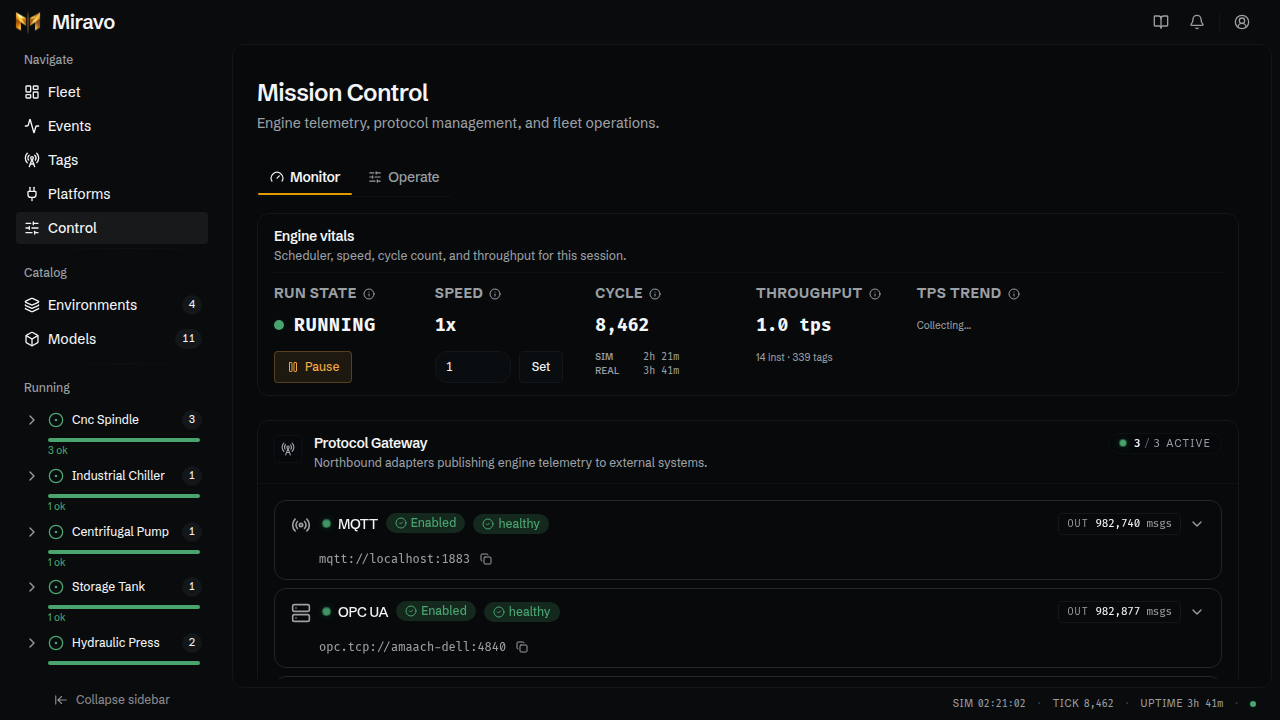
- Pause or Resume the factory.
- Set the Speed:
10runs ten simulated seconds per real second. - Each protocol card shows its address with a copy button, messages sent, and a switch to turn it on or off.
Operate
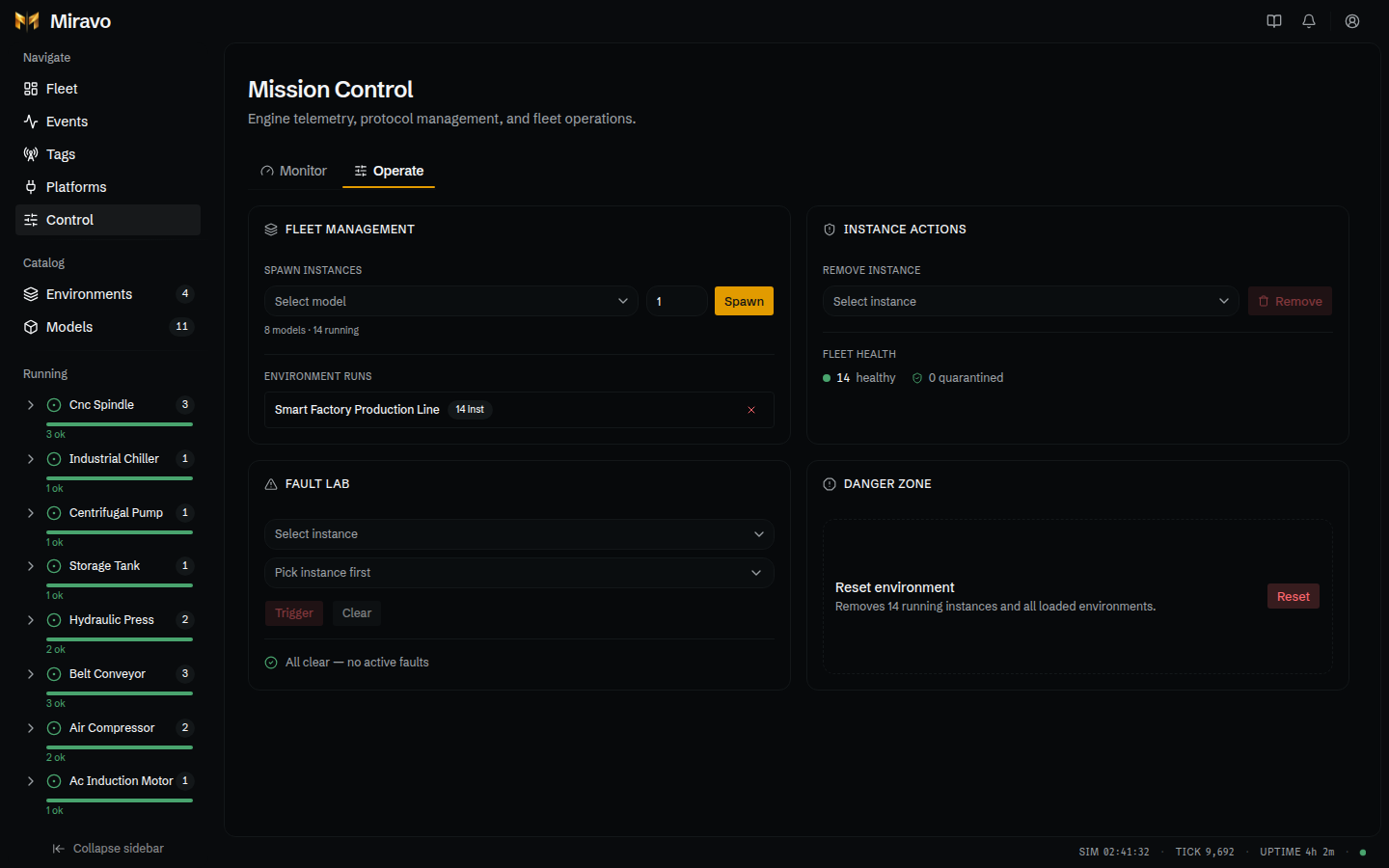
Two panels, side by side:
- Fault Lab (left): pick an asset and a fault, then Trigger or Clear.
- Danger Zone (right): reset.
Reset
Reset unloads every template and removes every asset, including standalone ones. The empty factory is saved, so it stays empty after a restart (unless the factory was started with --template none, which saves nothing and leaves any old snapshot as is). To remove only one template, use Unload on its card on Factory; to remove one asset, use Remove on its page.
Reset cannot be undone. Launch the templates again to get the factory back.
Was this page useful?
Last updated on