 Miravo
Assets
The Assets tab on Factory: every running asset and its health, filtered by template or status, then one asset opened to follow its live values.
Assets is a tab on the Factory page, at /?tab=assets. It lists everything running in the factory and answers two questions: what is running, and is it healthy?
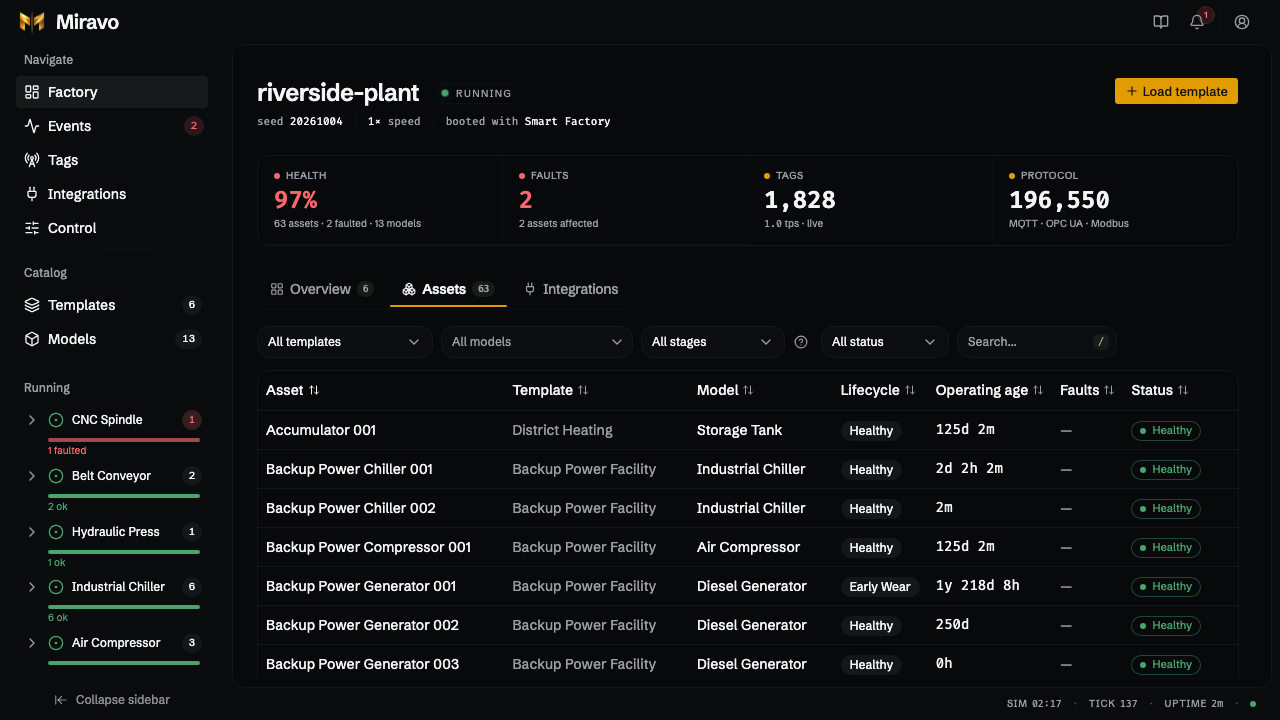
- In the status strip, Health and Faults switch to this tab filtered to healthy or faulted assets. Tags opens the Tags page. Protocol counts published values and opens Control.
- Filter the table by template (or Standalone), model, lifecycle stage, or status. The Template column shows which loaded template owns each asset; assets spawned directly show as standalone. Press
/to search. - View assets on a template card opens this tab already filtered to that template, and a card's faulted line also filters to its faulted assets.
Operating age is the asset's starting hours from the template plus the time it has run.
Asset detail
Click a row to open one asset. Remove on its Operate tab takes that asset out of the factory after a confirmation; a template that owned it stays loaded without it. A station on a production line cannot be removed on its own: the tab says so, and you unload its template instead.
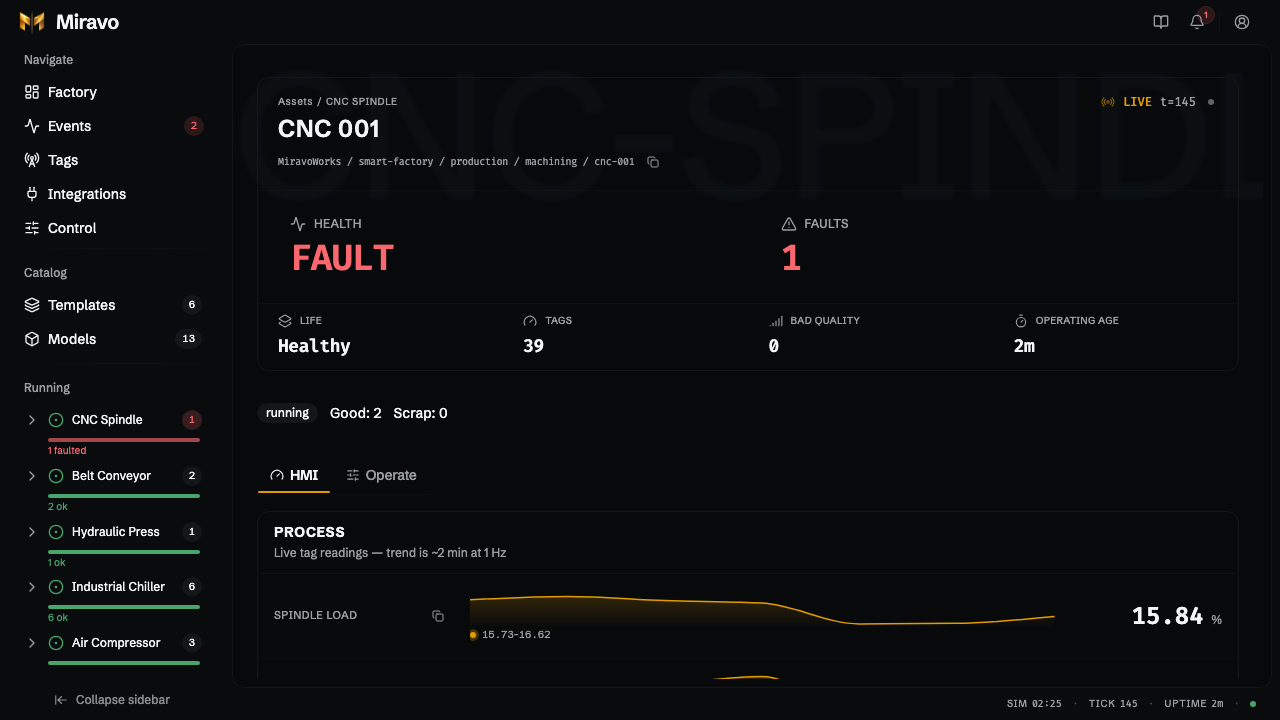
- HMI: live values with a two-minute trend.
- Operate: write setpoints, call methods, trigger or clear faults, and read counters and nameplate data.
Stations on a production line also show their state, good and scrap counts, and stop reason.
Was this page useful?
Last updated on