 Miravo
Litmus Edge
Map a Miravo factory into Litmus Edge devices, tags, Digital Twins models and Digital Twins instances fed by live runtime data.

Miravo maps a running factory into Litmus Edge. It creates devices, tags, Digital Twins models and Digital Twins instances, and links them.
Doing this by hand means creating and linking each resource yourself. Miravo applies the template in one operation, and you can update or remove the same set later.
Digital Factory Demo
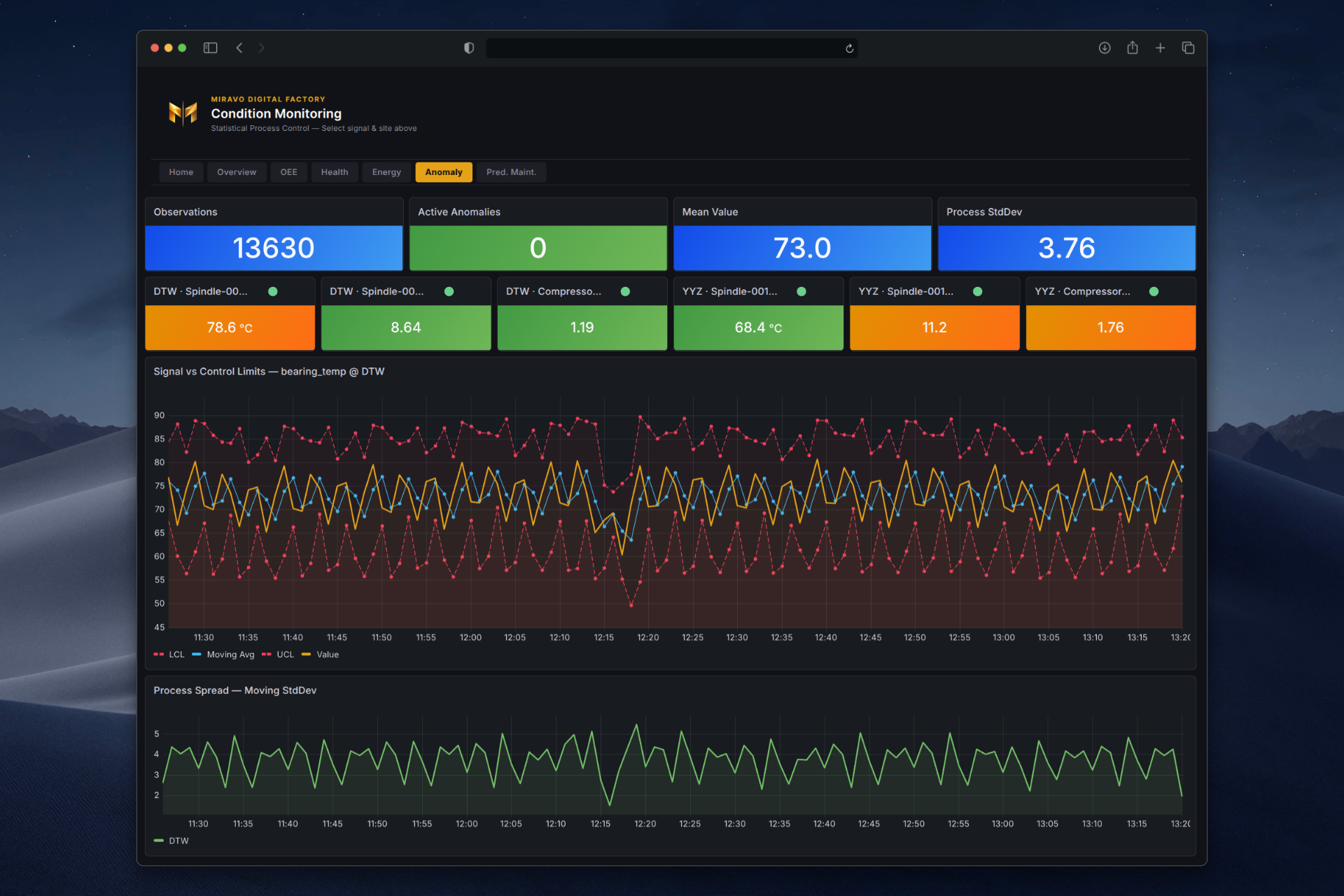
This demo runs two CNC plants, Detroit and Toronto, with wear and faults. Litmus Edge connects to both over OPC UA, Modbus TCP, and MQTT, maps the tags into Digital Twins, and sends OEE and equipment health to Grafana.
Fail the Detroit compressor from the Miravo console. Air pressure drops, that site's assembly line stops, and the dashboards show it. Toronto keeps running. One command starts the stack.
Run the demo
Requirements: Docker Engine 24 or later, Docker Compose v2, and about 6 GB of RAM.
git clone https://github.com/amine-amaach/miravo.git && \
  cd miravo/examples/miravo-litmus-edge-dfd && \
  docker compose up
Startup takes up to 2 minutes. Litmus Edge configures itself, and Grafana opens with live panels.
Trial reset
The built-in 2-hour trial is renewable. When it expires, click Reset in the
Litmus Edge UI and complete the reCAPTCHA. Your data stays in place.
| Service | URL | Credentials |
|---|---|---|
| Grafana dashboards | http://localhost:3000 | admin / Miravo@Demo1 |
| Litmus Edge UI | https://localhost:8443 | admin / Miravo@Demo1 |
| Miravo Detroit console | http://localhost:8081 | admin / Miravo@Demo1 |
| Miravo Toronto console | http://localhost:8082 | admin / Miravo@Demo1 |
Explore the demo
Open Executive Overview in Grafana. Both sites are live and all 24 assets are healthy. Then open Device Hub and Digital Twins in Litmus Edge. Inject a compressor fault from the Detroit Miravo console and watch the assembly line stop show up in the dashboards.
Map your own template
Map your own template from the Console or the CLI. Save the target with miravo le target add, then preview or apply the mapping with miravo le apply.
From the Console
Open /integrations in the Miravo Console and register the target. Then open Factory, go to the Integrations tab, and click Apply on the row of a template or standalone asset. A dry-run preview shows the plan before anything is written. Review past runs in the activity log on Integrations.
From the CLI
The CLI uses miravo le target add, miravo le apply and miravo le cleanup. Without --protocol, apply maps every asset on its scoped protocol (opcua when an asset lists several). --protocol takes opcua, modbus or mqtt and limits the run to that protocol, with a warning for any skipped assets.
The token never goes on the command line. Pipe it to --api-token-stdin, answer the hidden prompt on a terminal, or set LITMUS_EDGE_API_TOKEN.
printf %s "$LE_TOKEN" | miravo le target add --label Demo --hostname 10.0.1.100 \
--source-hostname 10.0.1.50 --api-token-stdinmiravo le apply --target Demo -t smart-factory --dry-runmiravo le apply --target Demo -t smart-factoryCLI ⭢ Litmus Edge
Apply, cleanup, export and saved targets.
CLI ⭢ le target add
Save one Litmus Edge target.
CLI ⭢ miravo le apply
Preview or apply the mapping.
Offline templates
If your machine cannot reach Litmus Edge, generate an importable bundle locally with miravo le export template.
miravo le export template -t smart-factoryThis writes smart-factory.le-template.json and smart-factory-tags.csv, covering every asset, and prints the asset count per protocol. Import the JSON in Litmus Edge under Template Store, Import.
What gets created in Litmus Edge
- Devices: one per asset, for the protocol you apply.
- Tags: every published member, with engineering units and access levels. MQTT tags are strings holding the whole Miravo JSON message, because the Litmus Edge MQTT Client driver cannot extract a field from the payload. Use OPC UA or Modbus for numeric tag values.
- Digital Twins models: one per Miravo asset model.
- Digital Twins instances: one per running asset, bound to its device and tags.
Next
Choose a template
Map a different template into Litmus Edge.
Core ⭢ Templates
Template structure and validation.
Litmus Edge docs
Trial and product documentation.
Was this page useful?
Last updated on
Integrations
Map a running Miravo factory into a supported integration. Miravo creates and manages the resources that represent your factory in the target system.
Troubleshooting
Fix the common first-run problems: ports in use, admin password, LAN access, missing protocols, detached start failures, stale state, and Modbus errors.